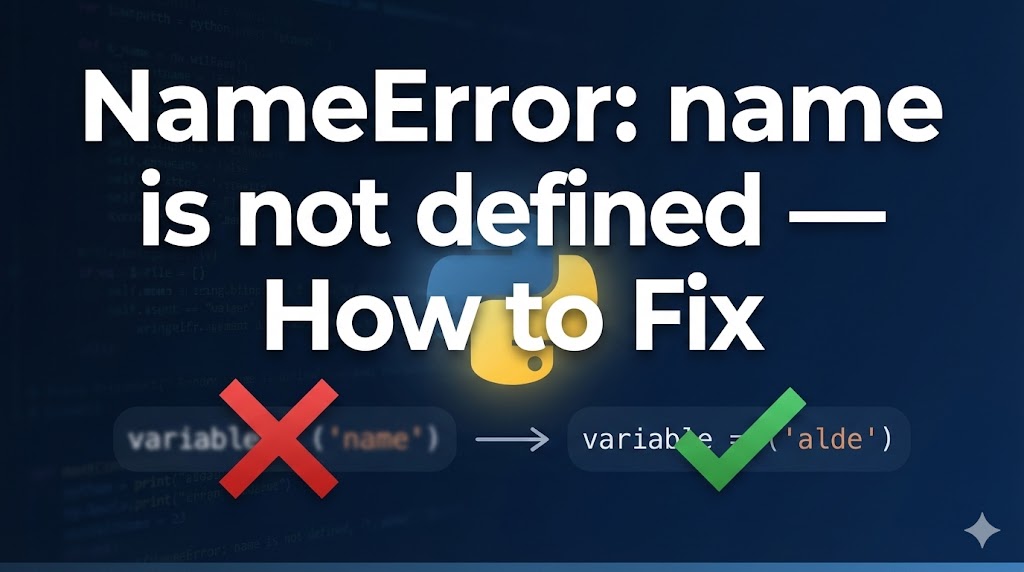
You ran your Python code and got “NameError: name ‘something’ is not defined” — what does that mean?
This error means Python encountered a name (a variable, function, or module) that it doesn’t recognize. It’s like calling someone by the wrong name — Python simply doesn’t know who you’re referring to.
Don’t worry, this is one of the most common Python errors and is almost always easy to fix. Let’s go through the usual causes.
目次
Why NameError happens in Python
NameError occurs when Python can’t find a name you used in your code. The main causes are:
- Typo in a variable or function name: A small spelling mistake means Python sees it as a completely different (undefined) name
- Using a variable before defining it: You tried to use a variable on a line before the line where you created it
- Forgetting to import a module: You’re using a function from a library but forgot the import statement
Solution 1: Check for typos (most common fix)
The most frequent cause of NameError is a simple spelling mistake.
1. Compare the error name with your code
# Example error
NameError: name 'pritn' is not defined
# → You typed "pritn" instead of "print"
The name in the error message is exactly what Python saw. Compare it character by character with what you intended.
2. Common typo patterns
# ✗ Typo in function name
pritn("Hello")

# ✓ Correct
print("Hello")

# ✗ Typo in variable name
username = "Alice"
print(usernme)  # ← "usernme" is not "username"

# ✓ Correct
username = "Alice"
print(username)

# ✗ Wrong capitalization (Python is case-sensitive)
MyList = [1, 2, 3]
print(mylist)  # ← "mylist" ≠ "MyList"

# ✓ Correct
MyList = [1, 2, 3]
print(MyList)
Remember: Python is case-sensitive. myVar, myvar, and MyVar are all different names. Fix the spelling and run your code again.
Solution 2: Define variables before you use them
Python reads your code from top to bottom. If you use a variable before the line where you create it, Python won’t know it exists yet.
1. Check the order of your code
# ✗ Using the variable before defining it
print(message)  # ← NameError: "message" doesn't exist yet
message = "Hello"

# ✓ Correct: define first, then use
message = "Hello"
print(message)
Move the variable definition above the line where you use it.
2. Watch out for variables inside if blocks
# ✗ Variable only defined inside the "if" — might never be created
if False:
    result = "done"
print(result)  # ← NameError if the "if" didn't run

# ✓ Fix: give the variable a default value first
result = "not done"
if False:
    result = "done"
print(result)  # → "not done" (no error)
If a variable is only created inside an if/else block, make sure there’s a default value in case the block doesn’t execute.
Solution 3: Add the missing import statement
If you’re using a function from a library or built-in module without importing it first, you’ll get a NameError.
1. Check if you forgot an import
# ✗ Using "math" functions without importing
result = math.sqrt(16)  # ← NameError: name 'math' is not defined

# ✓ Fix: add the import at the top of your file
import math
result = math.sqrt(16)
print(result)  # → 4.0
2. Make sure you imported the right name
# ✗ Imported the module but using a function directly
import random
number = randint(1, 10)  # ← NameError: "randint" is not defined

# ✓ Option A: use the module prefix
import random
number = random.randint(1, 10)

# ✓ Option B: import the function directly
from random import randint
number = randint(1, 10)
If you use import module, you must write module.function(). If you want to use the function name directly, use from module import function.
If nothing works
If you’ve checked everything above and still get NameError:
- Check variable scope: Variables created inside a function are not accessible outside of it
# ✗ Variable defined inside a function — not accessible outside
def my_function():
    secret = "hidden"

my_function()
print(secret)  # ← NameError

# ✓ Fix: return the value from the function
def my_function():
    secret = "hidden"
    return secret

result = my_function()
print(result) # → "hidden"- Make sure you ran all the cells: If you’re using Jupyter Notebook, run the cells in order from top to bottom. Skipping a cell that defines a variable will cause NameError in later cells
- Tip for asking for help: Include the full error traceback and the code where you defined (or intended to define) the variable. This helps others spot the issue quickly
Summary
- NameError usually means there’s a typo — check the spelling and capitalization carefully
- Make sure you define variables before using them, and give default values when a variable might not be created
- If you’re using a library function, don’t forget the import statement at the top of your file
Related articles:
- syntax-error-invalid-syntax.html (SyntaxError: invalid syntax — causes and fixes)
- type-error-python.html (How to fix TypeError in Python)
- module-not-found-error.html (How to fix ModuleNotFoundError)
















Leave a Reply