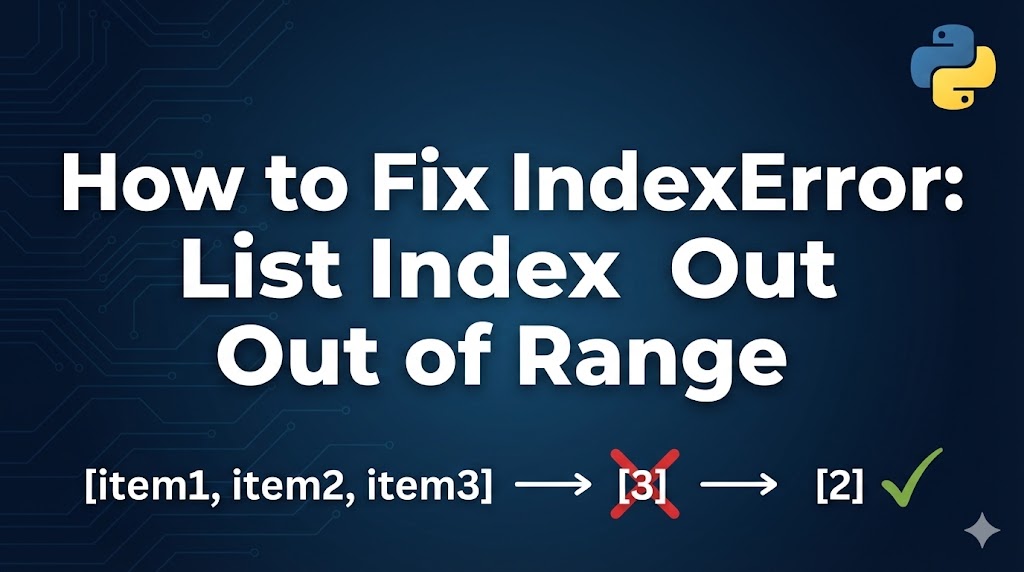
You’re working with a list in Python and suddenly get IndexError: list index out of range. This is one of the most common errors beginners run into, and it has a simple explanation.
This error means you tried to access an item at a position (index) that doesn’t exist in your list. It’s like trying to sit in seat number 10 in a row that only has 5 seats.
Let’s walk through why this happens and how to fix it.
目次
What Causes an IndexError in Python
- Using an index that’s too large — If your list has 3 items, the valid indexes are 0, 1, and 2. Trying to access index 3 or higher causes the error.
- Forgetting that Python indexes start at 0 — The first item is at index 0, not 1. A list with 5 items has indexes 0 through 4.
- Accessing items from an empty list — If the list has no items, every index is out of range.
Fix 1: Check Your Index Against the List Length
The most common fix is making sure your index is within the valid range.
Example of the error:
# This list has 3 items at indexes 0, 1, 2
fruits = ["apple", "banana", "cherry"]
print(fruits[3])  # IndexError! Index 3 doesn't exist
Step 1: Check how many items are in your list.
fruits = ["apple", "banana", "cherry"]
print(f"List length: {len(fruits)}")  # Output: 3
print(f"Valid indexes: 0 to {len(fruits) - 1}")  # Output: 0 to 2
Step 2: Use the correct index.
fruits = ["apple", "banana", "cherry"]

# Access the last item using index 2 (length - 1)
print(fruits[2])  # Output: cherry

# Or use -1 to always get the last item regardless of list size
print(fruits[-1])  # Output: cherry
If the correct item prints without errors, you’ve fixed it.
Step 3: Add a safety check before accessing by index.
fruits = ["apple", "banana", "cherry"]
index = 5

if index < len(fruits):
    print(fruits[index])
else:
    print(f"Index {index} is out of range. List only has {len(fruits)} items.")
If the program shows the warning message instead of crashing, the check is working.
Fix 2: Fix Loop-Related Index Errors
A common mistake is using range(len(list)) incorrectly or modifying a list while looping over it.
Example of the error:
# Bug: range goes up to len(fruits), but the last valid index is len(fruits) - 1
fruits = ["apple", "banana", "cherry"]
for i in range(len(fruits) + 1):  # range(4) = 0, 1, 2, 3
    print(fruits[i])  # Crashes when i = 3
Step 1: Use the correct range.
fruits = ["apple", "banana", "cherry"]

# Correct: range(len(fruits)) gives 0, 1, 2
for i in range(len(fruits)):
    print(fruits[i])
If all items print without errors, the range is correct.
Step 2: Even better, loop directly over the list instead of using indexes.
fruits = ["apple", "banana", "cherry"]

# Pythonic way — no index needed
for fruit in fruits:
    print(fruit)

# If you need both the index and the value, use enumerate
for i, fruit in enumerate(fruits):
    print(f"{i}: {fruit}")
Step 3: Never modify a list while looping over it by index.
# Wrong: removing items changes the list length during the loop
numbers = [1, 2, 3, 4, 5]
for i in range(len(numbers)):
    if numbers[i] % 2 == 0:
        numbers.pop(i)  # IndexError!

# Right: create a new list instead
numbers = [1, 2, 3, 4, 5]
odd_numbers = [n for n in numbers if n % 2 != 0]
print(odd_numbers)  # Output: [1, 3, 5]
Fix 3: Handle Empty Lists
If your list might be empty (for example, when reading data from a file or database), always check before accessing items.
Step 1: Check if the list is empty before accessing elements.
results = []  # Could be empty depending on your data

if results:
    print(f"First result: {results[0]}")
else:
    print("No results found.")
If the program prints the “No results” message instead of crashing, it’s working correctly.
Step 2: Use try-except for situations where you can’t easily predict the list length.
data = []

try:
    first_item = data[0]
    print(f"First item: {first_item}")
except IndexError:
    print("The list is empty — nothing to access.")
What to Do If It Still Doesn’t Work
- Print the list and the index — Add
print(f"list: {my_list}, index: {i}")right before the error line to see exactly what’s happening. - Check where the list is populated — The problem might not be the access point, but the code that fills the list. It might have fewer items than you expected.
- Watch out for off-by-one errors — This is so common it has its own name. Remember: a list of length N has indexes 0 through N-1.
- Use a debugger — In VS Code, set a breakpoint and inspect the list length and index at runtime.
Summary
- An IndexError means you tried to access a list position that doesn’t exist.
- Remember that Python lists start at index 0, so a list with N items has valid indexes 0 to N-1.
- Use
for item in listinstead of manual indexing whenever possible — it completely avoids this error.
Related articles:
- type-error-python.html
- valueerror-python.html
- keyerror-python-dictionary.html














Leave a Reply